
Create Winning Estimates in Minutes, Not Hours
Professional, detailed estimates that win more jobs—without the spreadsheet headaches. From simple residential repairs to complex insurance restoration projects.
The Problem
“I spend 3-4 hours on every estimate, and I still lose half the jobs I quote.”
Sound familiar? Most contractors struggle with

Estimating takes way too long

Inconsistent pricing across jobs

Missing line items that hurt profit margins

Unprofessional-looking estimates

No way to track which estimates convert to jobs

Insurance restoration contractors manually re-entering data between Xactimate and their business software
The Solution
Builder Flow Estimate Pro transforms your estimating process with intelligent import capabilities and professional presentation.

Build Estimates 5X Faster
Pre-built templates for every job type. Just customize and send.

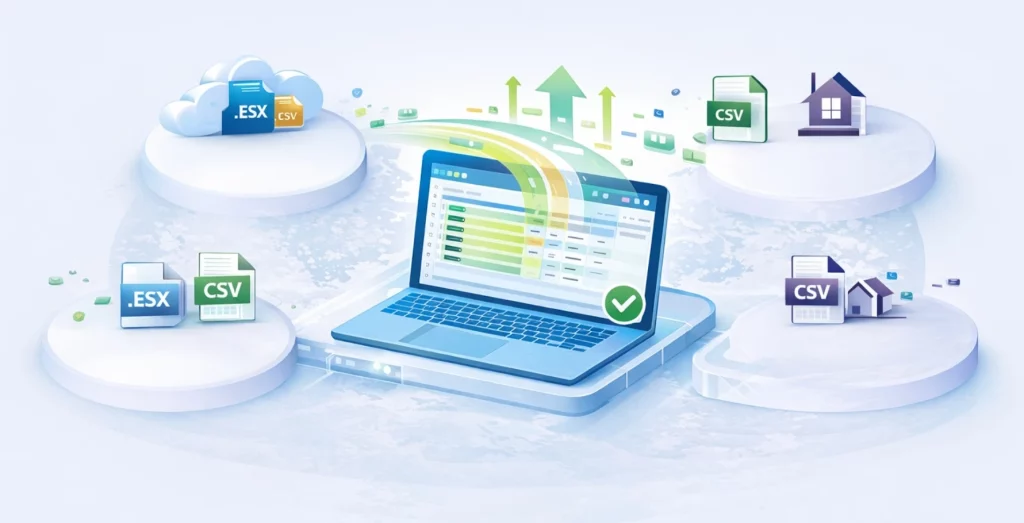
Import from Industry Tools
Seamlessly import estimates from Xactimate, Excel, or CSV files—no manual re-entry.

Pricing Libraries
Store your proven pricing for materials, labor, and markup. Never start from scratch.

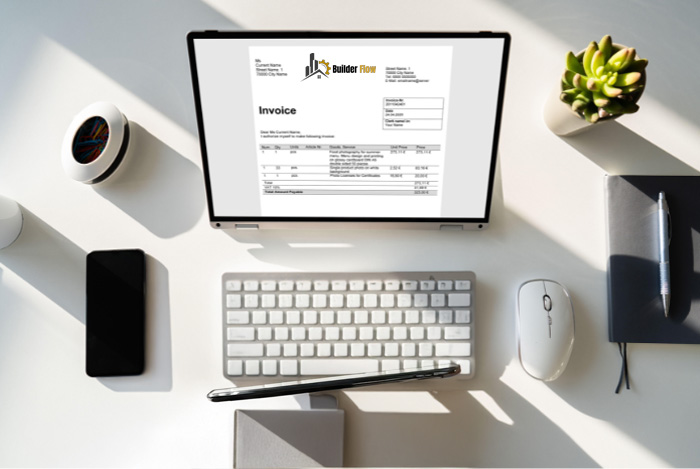
Professional Branded Proposals
Your logo, your colors, your brand—delivered digitally or as PDF.

Line-Item Detail
Break down every aspect so clients understand exactly what they’re paying for.

Multiple Options
Offer Good/Better/Best pricing to increase your average job value.

Track Everything
See which estimates are viewed, approved, or need follow-up.
Key Features
Smart Templates
- Pre-configured for your trade
- Customizable line items
- Material and labor breakdown
- Markup calculation built-in
Advanced Import Capabilities
- Xactimate Integration: Import .ESX files and CSV exports directly
- Excel/CSV Import: Upload spreadsheet estimates with automatic field mapping
- XactRemodel Compatibility: Process labor and material pricing from XactRemodel
- Intelligent Data Mapping: System automatically maps imported data to correct fields
- Multi-Phase Support: Handle separate mitigation and restoration estimates
Cost Database
- Store your actual costs
- Track supplier pricing
- Update costs in real-time
- Historical cost analysis

Client-Friendly Presentation
- Interactive digital proposals
- Photo and specification attachments
- Financing options displayed
- One-click acceptance

Integration
- Pull client data from CRM
- Push approved estimates to projects
- Sync with QuickBooks
- Generate contracts automatically
- Automatic Work Order Creation: Convert estimates to work orders with one click

How It Works
Step 1: Select Your Method
- Start with template
- Import from Xactimate
- Upload Excel/CSV
- Start from scratch
Step 2: Customize
- Add line items
- Adjust quantities
- Include photos and specifications
Step 3: Review & Price
- System calculates totals with your markup. Add options if desired
Step 4: Send
- Email professional proposal to client They can review and accept online
Step 5: Convert to Job
- Accepted estimate automatically becomes a project in your pipeline with work orders created
Industry-Specific Features

For Insurance Restoration Contractors
- Xactimate .ESX and CSV import
- Mitigation and restoration estimate separation
- Claim documentation tracking
- Adjuster collaboration tools
- Supplement management

For Remodeling Contractors
- Room-by-room breakdowns
- Material selection tracking
- Change order management
- Client allowances

For Service Contractors
- Quick estimate templates
- Service package pricing
- Recurring maintenance estimates