
Run More Jobs
Keep Your Coppell Operations Connected
Contractor management software for Coppell businesses that want better control over leads, estimates, crews, projects, field operations, and finances.
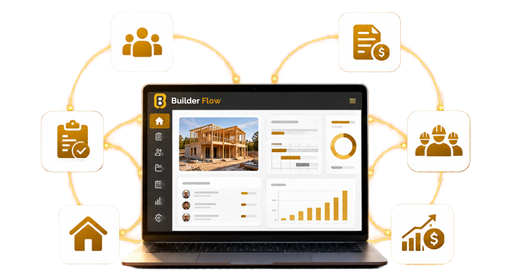
Builder Flow connects your office and field teams in one contractor-focused platform, helping you manage the entire project journey—from the first customer enquiry and estimate to scheduling, field work, invoicing, and job costs.
Your Projects Move Fast
Your Software Should Keep Up
A new lead comes in. A customer needs an estimate. A crew needs to be scheduled. A technician sends photos from the job site. An expense needs to be recorded.
When those activities are managed across different apps, spreadsheets, emails, and messages, information can become scattered and follow-ups can be missed.

One Connected Workflow
From Lead to Payment
Where Contractor Operations
Can Get Complicated

Leads Need Consistent Follow-Up
Website enquiries, referrals, phone calls, advertising, and other lead sources can make it difficult to keep every opportunity organized.
Centralize customer information, follow-ups, communications, and opportunities in one place.

Estimates Need to Go Out Quickly
Delays in preparing or revising an estimate can slow down approvals and affect how quickly a project gets started.
Create estimates using templates and pricing tools, with Xactimate file import support for restoration work.

Office and Field Teams Need the Same Information
Schedules change. Customers call. Job details get updated. Field teams need current instructions.
Keep work orders, schedules, customer details, photos, notes, and field updates connected.

Scheduling Gets Harder as You Grow
Multiple crews, technicians, locations, skills, and availability can make manual scheduling difficult.
Coordinate assignments based on availability, skills, workload, and job location.

Project Costs Can Change Along the Way
Labor, materials, subcontractors, and other expenses can affect project profitability while work is still underway.
Track project costs, expenses, invoices, budgets, and profitability throughout the project lifecycle.
Contractor Software Built Around
How You Actually Work
CRM & Lead Management
Centralize enquiries, customer details, follow-ups, communications, and opportunities. Your team can quickly see which prospects need attention and what should happen next.
Builder Estimate Pro
Create professional estimates using templates and pricing tools while supporting Xactimate file imports for restoration projects. Move approved estimates forward without repeatedly entering the same information.
Work Order Management
Create, assign, and monitor work orders while keeping customer and project information connected. Your team can maintain visibility from assignment through completion.
Builder FSM
Plan technician and crew schedules around availability, skills, workload, and location. Give your office a clearer view of daily assignments and upcoming work.
Technician Mobile App
Give technicians access to schedules, work orders, customer information, photos, GPS details, notes, time records, and digital signatures while they are on-site.
Builder Claim Scope
Capture structured information for water, fire, mold, mitigation, and storm-related projects, including inspections, measurements, photos, damage details, and field reports.
For restoration contractors serving Coppell and the surrounding DFW area, organized job-site information can help teams move from field documentation to estimating and project coordination more efficiently.
Builder Finance
Track bills, expenses, project costs, invoices, budgets, and profitability while work is underway. Get a clearer picture of project performance without waiting until the job is complete.
One Platform
Multiple Parts of Your Business
Imagine a homeowner contacts your Coppell contracting company about a remodeling project.
Your team captures the enquiry and follows up. An estimate is prepared and approved. The project becomes a work order, the right crew is scheduled, and field staff receive the information they need.
As work progresses, your office can stay connected with project updates, photos, documentation, expenses, invoices, and other job information.

Built for Contractors Working Across
Coppell and DFW
Your business may be based in Coppell, but your projects don't have to stay within city limits.
Contractors may manage jobs across Coppell, Irving, Lewisville, Carrollton,
Flower Mound, Grapevine, Dallas, and
other nearby DFW communities.
As your service area grows, having a clear view of customers, projects, crews, and costs becomes increasingly important.

Manage Multiple Job Locations
Coordinate projects happening at different properties while keeping job details and assignments organized.

Connect Office and Field Teams
Give the people in the office and the people at the job site access to the information they need to keep work moving.

Stay Organized Across Active Projects
Keep new leads, estimates, approved jobs, active work, and completed projects easier to track as your business grows.

Handle Restoration and Mitigation Work
Manage inspections, measurements, photographs, documentation, estimating, field activity, and project information for property-damage jobs.

Keep an Eye on Project Costs
Monitor expenses and financial activity as projects progress so you can identify issues before they affect the final result.
More Than a Generic CRM
A traditional CRM can help manage contacts and sales opportunities.
But contractors need to manage what happens after the sale.
Start with the area creating the most operational friction and expand your workflow as your business grows.
Builder Flow Connects These Contractor Processes
| What You Need | Builder Flow |
|---|---|
| Lead management | ✓ Contractor-focused CRM workflow |
| Estimating | ✓ Builder Estimate Pro + Xactimate import |
| Work orders | ✓ Connected project workflow |
| Scheduling | ✓ Builder FSM |
| Field execution | ✓ Technician Mobile App |
| Restoration documentation | ✓ Builder Claim Scope |
| Job costs | ✓ Builder Finance |
| Business systems | ✓ Zoho ecosystem integration |
Built for Coppell-Area
Contractor Businesses

Remodeling & Renovation
Manage enquiries, estimates, customer communication, crews, scheduling, and project progress from a connected workflow.

Roofing
Keep opportunities, estimates, scheduling, field documentation, and project information organized across jobs.

Restoration & Mitigation
Move from damage assessment and documentation through estimating, scheduling, field execution, and billing with less manual coordination.

HVAC, Plumbing & Electrical
Manage service enquiries, work orders, technician schedules, customer information, and field updates.

General & Commercial Contractors
Maintain visibility across multiple projects, teams, assignments, customer relationships, and financial information.
What Could a Connected
Contractor Workflow Change?

Spend Less Time Chasing Information
Bring customer, project, and field information together so your team doesn't have to search across multiple systems.

Respond to Leads More Consistently
Centralize enquiries and follow-up activities so opportunities are easier to manage.

Reduce Duplicate Data Entry
Move information from one project stage to the next without repeatedly rebuilding the same records.

Coordinate Crews With Greater Visibility
Consider skills, availability, workload, and location when planning assignments.

See Project Performance Earlier
Monitor expenses, invoices, and profitability while there is still time to make informed decisions.
Frequently Asked Questions
Contractor management software helps businesses organize processes such as lead management, estimating, work orders, scheduling, field operations, project documentation, and financial tracking. Builder Flow connects these activities in one contractor-focused platform.
Yes. Builder Flow supports remodeling workflows including lead management, estimating, work orders, scheduling, customer information, field coordination, and project cost tracking.
Yes. Builder Flow supports water, fire, mold, mitigation, and storm-related workflows. Builder Claim Scope helps organize inspections, measurements, photos, damage information, and field documentation, while Xactimate file import can help streamline estimating.
Yes. Builder FSM helps teams coordinate technician and crew assignments based on factors such as availability, skills, workload, and job location.
Yes. Builder Flow connects customer and lead information with estimates, work orders, scheduling, field activity, documentation, and financial processes.
Yes. Builder Finance supports tracking bills, expenses, project costs, invoices, budgets, and profitability while projects are underway.
Yes. Contractors can start with the workflows they need most and expand their use of Builder Flow as their operations grow.
Schedule a personalized demo to discuss your current process and see how Builder Flow can fit your business.
Your Business Is Growing
Your Workflow Should Grow With It
You may already have software for CRM, estimating, scheduling, accounting, or field operations.
The real question is whether those systems work together.
Builder Flow helps connect the people, information, and processes behind your projects—so your team can spend less time coordinating systems and more time delivering work.
Ready to See How It Could Work for Your Business?
Tell us how you currently manage your projects, and we'll show you where Builder Flow can help.